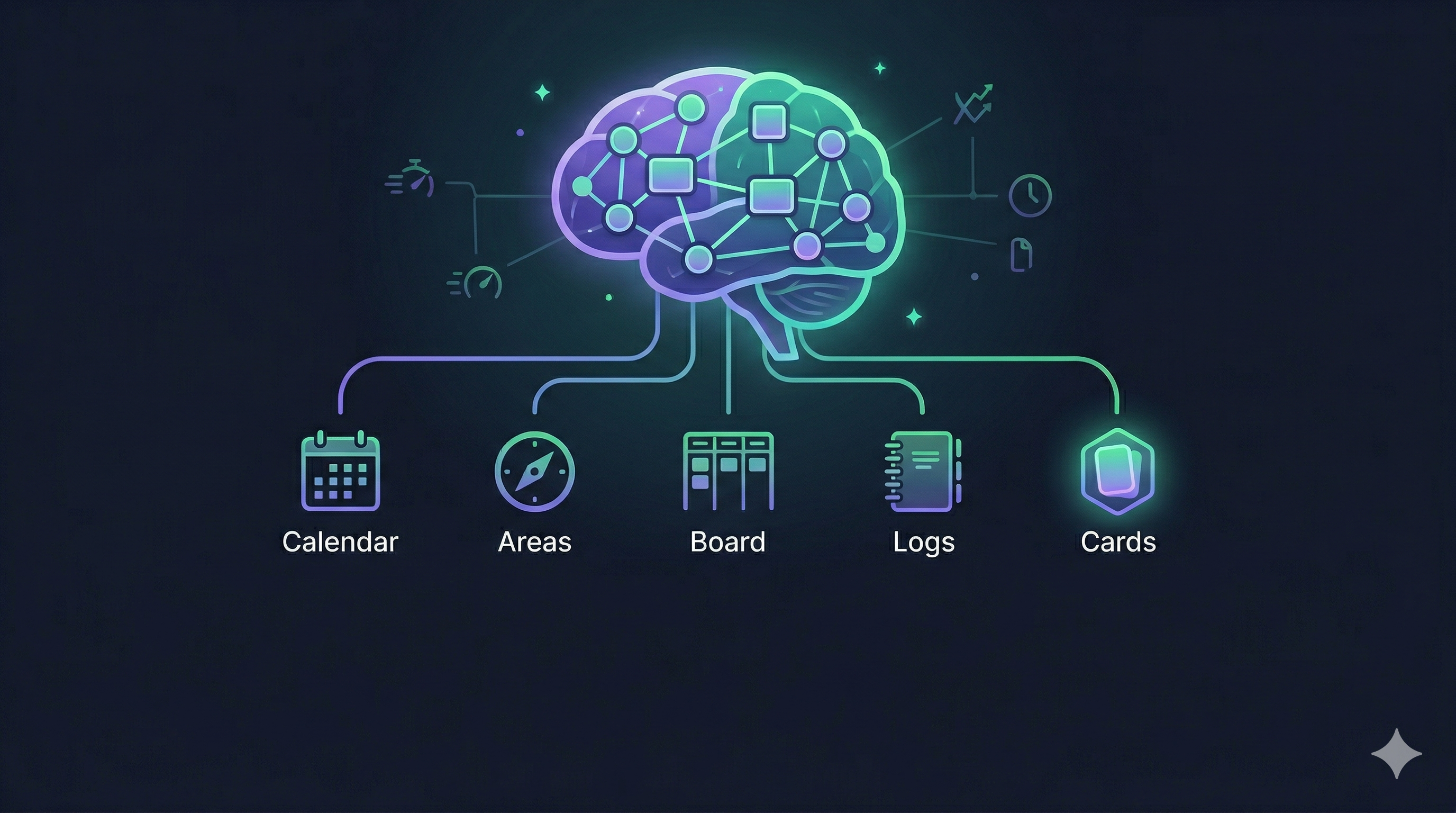
I’ve built and abandoned already some productivity systems. Notion databases, Todoist hierarchies, plain-text files, even a spreadsheet phase I’d rather not talk about. Each one lasted about two weeks before quietly dying in a forgotten browser tab. Sound familiar?
This time, I’m trying something different. Not just a new system, but a public commitment to stick with it. Writing this article is my accountability mechanism. If I abandon the system next month, this post will be out there, judging me. I want to be upfront: some parts of what I’m describing are battle-tested, some are still emerging, and some are aspirational.
It’s a look into how I organize my work, thinking, and goals inside Obsidian, which has become my second brain and planning tool. My hope is that you’ll take the principles and adapt them to your own system. By the end of this article, you’ll understand my personal five-pillar architecture and why I believe the design choices prevent the collapse I’ve experienced so many times before.
I’m planning some follow-ups:
- one on my AI-assisted workflows that sit on top of this system.
- another follow up on some advanced Obsidian integrations and techniques
- personal planning strategy - how I set and archive my personal goals
But first: the foundation.
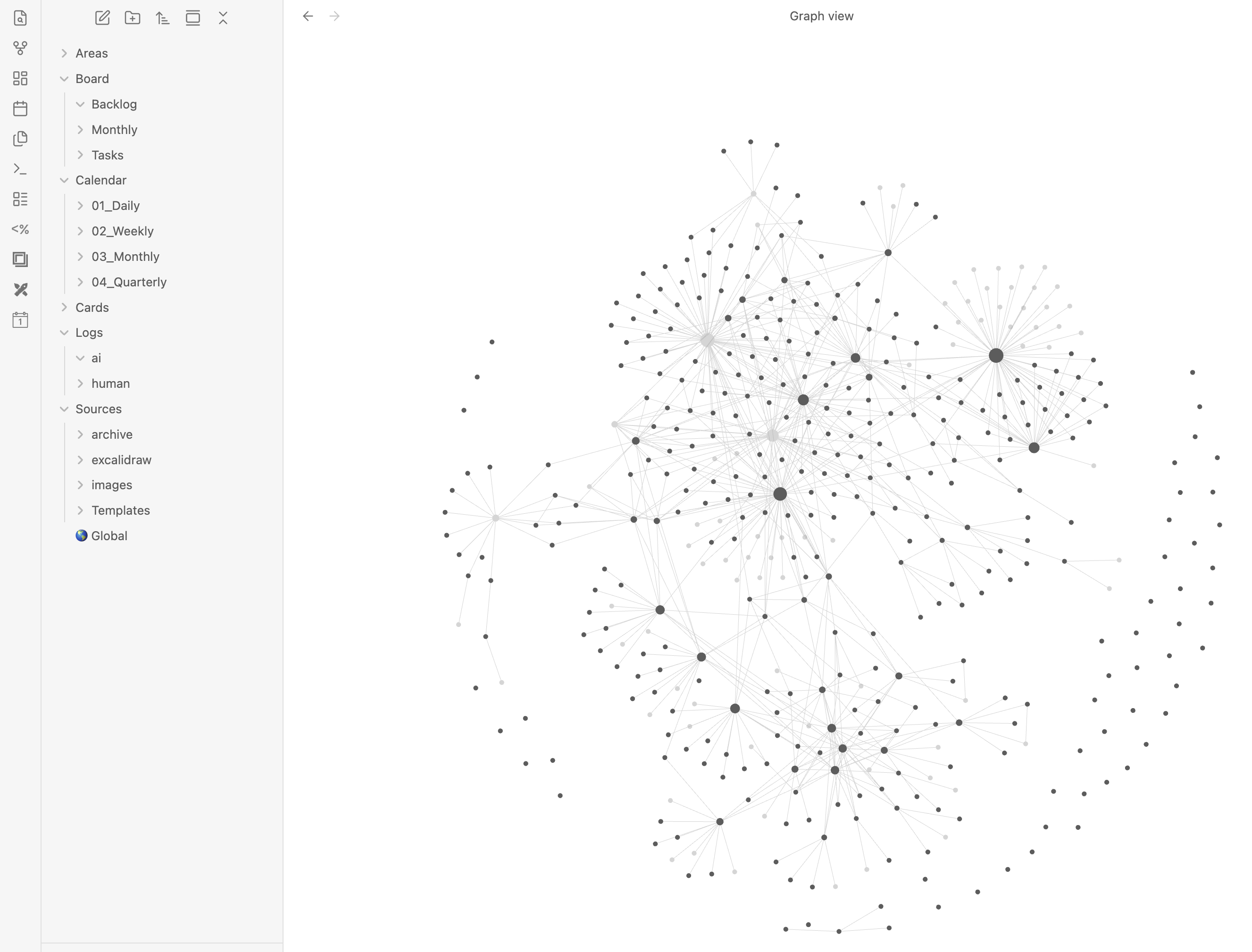 Screenshot taken from my local vault showing up my folder structure.
The Three Principles
These three principles aren’t features or plugins. They’re constraints that prevent the system from collapsing under its own weight. Every design decision I make passes through this filter.
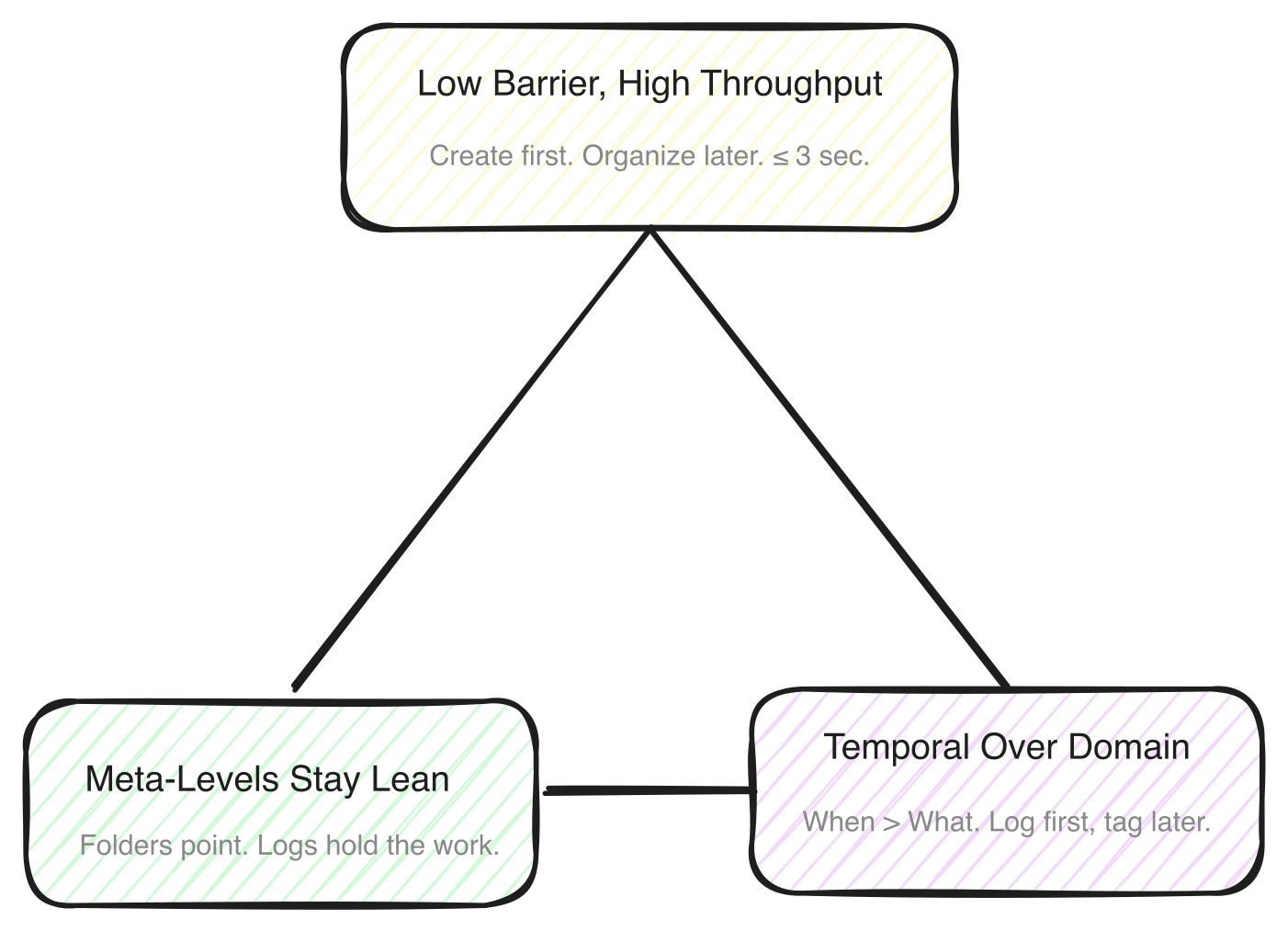 The three principles - every structural choice in the system passes through all three.
Low Barrier, High Throughput
If it takes more than three seconds to create something, it won’t happen consistently. That’s the rule. The lower the barrier, the more likely the system will be used.
This sounds obvious, but most systems violate it immediately. They front-load structure and demand categorization before creation. The Card Brain flips this: create first, let the system works for you, organize later. Speed of capture matters more than perfection of metadata.
Meta-Levels Stay Lean, Sources Do the Work
Areas (Projects), Board (Tasks), and Calendar (Daily or Weekly notes) contain only structure and pointers. They don’t hold detailed content. The actual thinking, writing, and working happens in in Log files.
Why does this matter? Because when meta-levels get bloated, they become their own maintenance burden.
Temporal Over Domain
Here’s the counterintuitive one. The primary organization axis is when, not what. Everything links to a Daily entry first. Domain, meaning which Area of life, project or task something belongs to, is secondary.
This prevents the classic problem of “where does this note go?” The answer is always the same: it goes into a Log File which points to todays Daily. Period. Domain tagging happens through frontmatter links, not folder hierarchy.
The Five Pillars
The system rests on five pillars. Each has a specific role, and together they create a flow from high-level goals down to daily execution and back up to lasting knowledge.
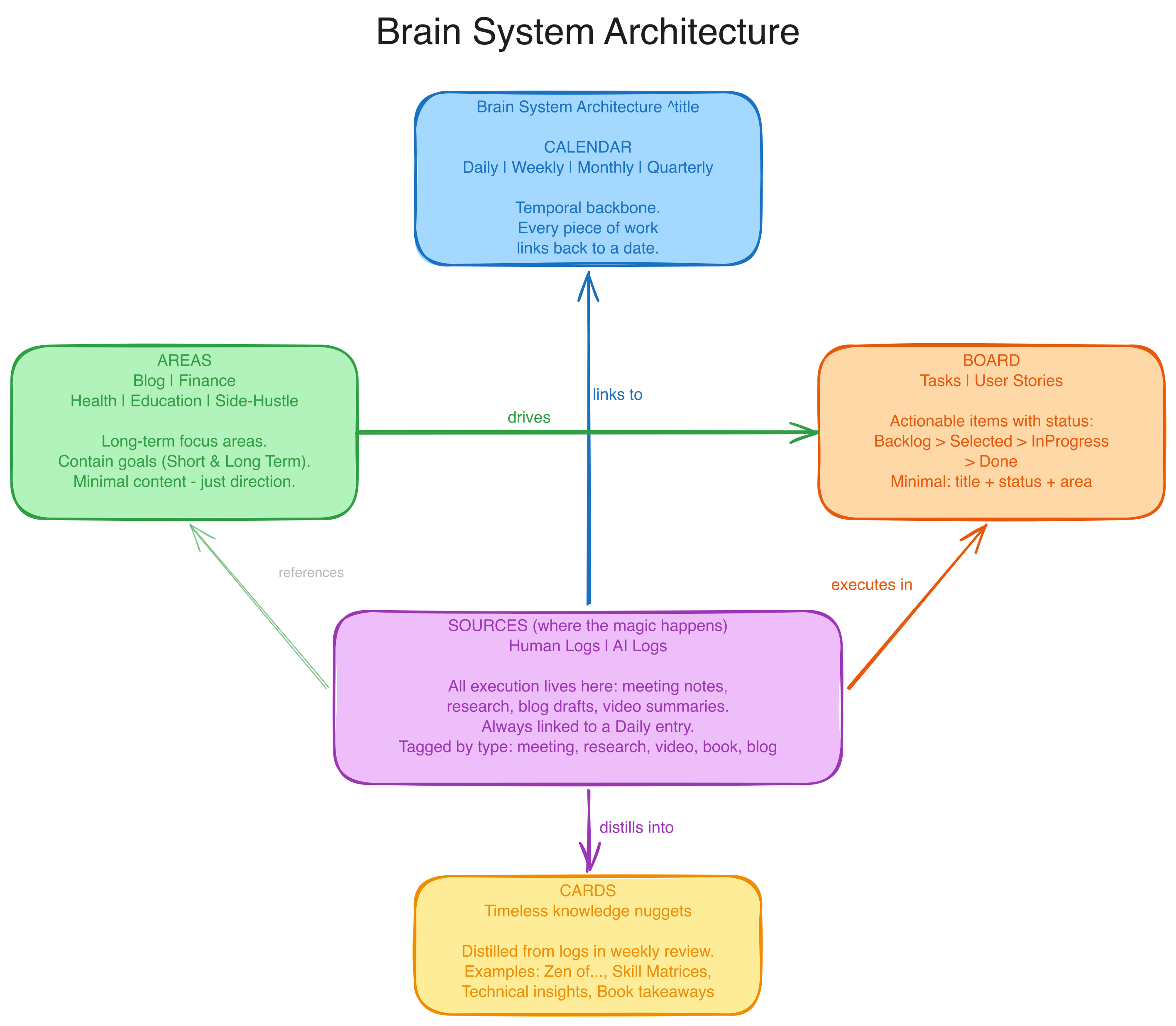 Five pillars. Everything is driven by daily logs
Calendar: The Temporal Backbone
The Calendar is the heartbeat of the system. It lives in Calendar/ and operates at multiple cadences: Daily, Monthly, and Quarterly are active. Weekly is defined in the design but I haven’t started using it yet.
The Daily note is the hub. I open it every morning with CMD+D, and everything that happens during the day gets referenced there: new tasks, Human Logs, meetings, stray thoughts. If something exists in my system, it connects to a date.
Another idea is to cascade: For now, Monthly priorities feed directly into Weekly Notes which are feeding into Daily tasks, and that’s been enough.
How do I know what to work on each morning? Emoji priorities, borrowed from my Global settings. These aren’t just generic priority markers. They specifically indicate whether a task is paying into larger goals:
- 👑 High priority, paying into long-term goals
- 🏅 Priority 2 paying into short-term goals
- 🔥 Something with a deadline. Not connected to any goal
One glance tells me what matters and whether today’s work connects to the bigger picture. No priority matrices, no weighted scoring. Just two emojis.
Areas: The Compass, Not a Logbook
Areas are mid- and long-term spheres of responsibility. Blog, Health, Education, side hustles. They don’t have deadlines. They persist over a period of time.
The critical distinction: Areas are a compass, not a logbook. They tell you where you’re heading, not what you did today. Detailed execution notes, meeting transcripts, task breakdowns: none of that belongs in an Area file. Areas drive the Board, and Sources reference Areas. That’s the relationship..
Board: Lean Task Tracking
The Board lives in Board/Tasks/ and uses the already archived Obsidian Projects plugin, though any plugin that reads frontmatter status fields (like Dataview) could serve the same role.
Here’s the mechanical detail that makes this work: each task is a separate .md file with YAML frontmatter. The Projects plugin reads the status field from that frontmatter and renders it as a Kanban column. There’s no proprietary format, just plain Markdown files.
Tasks flow through four active statuses:
Backlog → Selected → InProgress → Done → Archive
Archive is a separate operation. When a task is Done, it eventually gets moved out of the active board entirely, either through a file move or a status change. It’s cleanup, not a workflow state.
Creating a task is fast: CMD+P > “Create Note from Projects” and a new file with this frontmatter will be created:
---
area: "[[Area Name]]"  # optional
tags: [relevant-tags]  # can be empty
status: Backlog
parent: "[[Parent]]"  # optional
---
A task file is deliberately minimal. Title, status, maybe a one-line description if the title isn’t self-explanatory. That’s it. There’s no explicit priority field on tasks either. Instead, tasks within each column are ordered top to bottom by descending priority, just by dragging them around. It’s a deliberate choice to keep things simple. Manual ordering is one less field to maintain and one less decision to overthink. No detailed notes inside the task. If I’m working on something and writing notes, I create a Human Log and link it back. The task stays lean.
One detail I’ve found useful: time-estimate tags. Tasks get tagged with #2-minutes, #5-minutes, or #15-minutes so I can batch small tasks together or fill gaps between meetings. Quick wins stay visible instead of getting lost behind bigger items.
Naming follows a simple convention: [Optional: YYYY-MM-DD -] Task Title.md. Date prefix is optional, some tasks are repeating over time (i.e. Code Review on Project X). I try to avoid deadlines on my tasks. So no dedicated deadline field is added.
Done tasks don’t accumulate. At end of day, or during review, completed tasks get archived. A clean board is a usable board.
Logs: Where the Magic Happens
If the Calendar is the heartbeat and Areas are the compass, Logs are where I actually live. Human Logs at Logs/human/ are the primary execution artifact in the entire system.
Whenever I sit down to work on something, write about something, or attend a meeting, the detailed notes go into a Human Log. The naming is simple: YYYY-MM-DD - Descriptive Title.md. Every log links back to its Daily entry through frontmatter.
Here’s what a typical Human Log’s frontmatter looks like:
---
daily: "[[2026-04-03]]"
log-type: research
area: "[[Blog]]"
task: "[[2026-04-01 - Write Productivity Post]]"
tags: []
---
For meetings specifically, the log follows a simple three-part structure that keeps things actionable:
# Prep (Optional)
- Agenda items, questions to ask

# Notes
- Meeting notes

# Follow-ups (Optional)
- [ ] Action item 1
Prep goes in before the meeting, notes during, and follow-ups get extracted right after. No fancy templates, just three headers that make sure nothing falls through the cracks.
The daily field is the only required one. It always points back to that day’s Calendar entry.
There’s also an AI Logs layer that lives alongside Human Logs at Logs/ai/. In my day-to-day life I am working heavily with AI. 99% of my code gets written by AI. My task planning is supported by AI. Writing this Article was prepared by AI. In some cases I have some discussions with my AI agents. And I want to have a gist out of my discussions dumped into files in my second brain for allowing me to improve my Skills and Agents over time.
Here’s a workflow detail I find essential: multi-day logs don’t need separate files. If I’m drafting a blog post over three days, I keep working in the same file and just update the date prefix. One living document beats three fragmented ones.
What makes Logs the “magic” pillar? Because everything else in the system is either structure (Calendar, Board, Areas) or output (Cards). Logs are where the actual thinking happens. They’re messy, detailed, and alive. And that’s exactly how they should be.
Cards: Distilled Knowledge
Cards are the lasting output of the entire system. They live in Cards/ and represent timeless, reusable pieces of knowledge.
A good Card is self-contained. It makes sense without chasing down three other files for context. It captures an insight, not a fact you could find with a quick search. Examples from my vault: “Zen of Eat that Frog” (distilled principles from the book), “Dependency Cooldown Strategy” (a pattern I discovered through work), “Personal Skill Matrix” (a living assessment tool).
Now, here’s the honest part. Cards are the hardest pillar to maintain. I call it the “Card Barrier Problem.” The desire to write the perfect Card leads to writing no Cards. If you wait until an insight feels polished enough, you’ll wait forever.
During the first month of using this system, I created exactly zero Cards. I had dozens of Logs full of insights, but the mental barrier of “turning them into proper Cards” felt too high. I was treating Cards like academic papers instead of rough captures. And you know what: It’s fine! It’s more important to have a working knowledge system than a distilled output. My distilled output works primarily throughout Metadata. Cards are just rarely used. Sometimes I am just pasting rough reusable informations I don’t want to forget.
A rough Card that exists is infinitely more valuable than a perfect Card that doesn’t.
How It All Flows Together
The pillars don’t work in isolation. They form a daily rhythm. Let me be honest about what’s consistent and what’s still emerging.
What I do every day (consistently): I hit CMD+D. Today’s Daily note opens. I check which tasks need the 👑, 🏅 or 🔥 treatment and decide what gets my first focused hour. Work happens in Logs that link to the Daily entry. If a new task pops up, I create it on the Board.
What I do most days: Done tasks move to the archive at end of day.
What’s still emerging: I am bad in long term planning. My planning is typically a day to day planning. But I try to improve. Something I decided for my current workflow:
- don’t do more than 3 projects at a time
- schedule project priorities monthly. I have 10 projects and 100 ideas for new projects. But I want to avoid starting new projects before finishing old projects. That’s why I have a self commitment: plan the full month beforehand. And avoid new priorities to be added during the month.
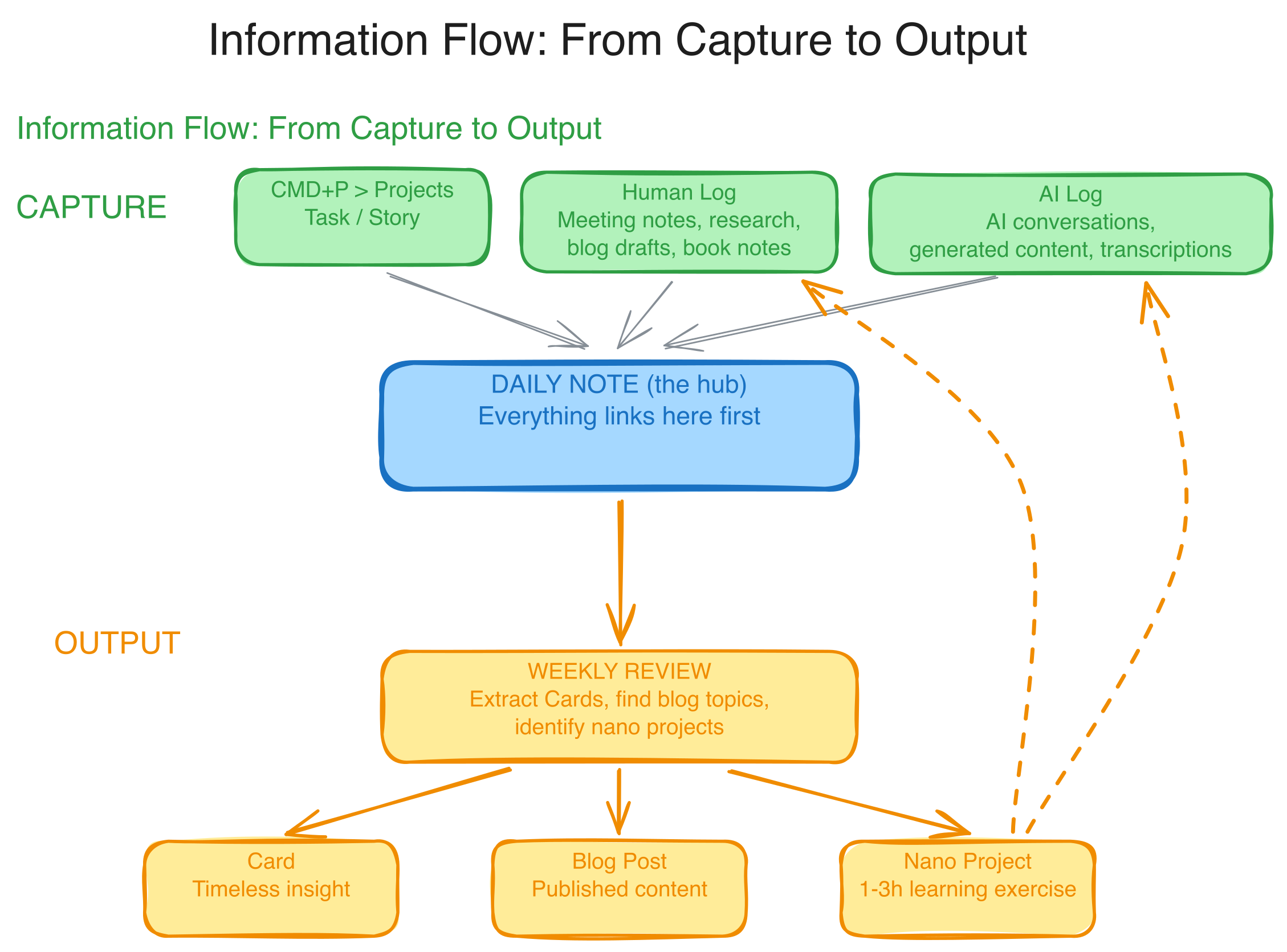 My Capture and distill process visualized.
When the System Breaks (and How to Recover)
Every productivity writer skips this part, and it’s the part that matters most. What happens when you miss three days? Five days? A full week?
I have gaps in my Daily notes. Not hypothetical ones. Real, visible gaps where life got busy or motivation dipped. If you looked at my Calendar directory right now, you’d see stretches of missing days. That’s not a failure of the system. That’s reality.
Here’s my recovery protocol, which is really just one rule: never backfill. If I skipped Monday through Wednesday, I don’t go back and create three fake Daily notes on Thursday. The system’s value comes from what’s ahead, not from a complete historical record.
CMD+D just opens today. That’s it. Zero re-entry cost.
What Makes This Time Different
I’ve been here before. New system, new energy, new conviction that this one will stick. So what’s actually different?
First, this article. Publishing your system is a commitment. If I stop using the Card Brain next month, anyone who read this post will know. That’s uncomfortable, and that’s the point.
Second, the principles came before the pillars. Previous systems started with tools and structure. This one started with “what kills systems?” The answer, friction, shaped every decision. The three-second rule, the lean meta-levels, the temporal-first organization. These aren’t features I bolted on. They’re the foundation.
Third, the system is designed to degrade gracefully. Miss a week? Start a new Daily. Never do weekly reviews? Monthly reviews still work. Never write Cards? The Logs still capture your thinking. Each pillar adds value independently, so a partial system is still a useful system.
Is this system perfect? No. Is it fully battle-tested? Not yet. Some parts are months old and proven; others are weeks old and promising. But the principles hold, and that’s what matters.
Conclusion
The Card Brain System is five pillars (Calendar, Areas, Board, Logs, Cards) built on three principles that fight friction at every turn. Some of it is working reliably, some of it is still being refined, and I’m betting that the design will hold even as the habits catch up.
I’m planning a follow-up on the AI-assisted workflows that sit on top of this foundation: blog generation from Logs, automated Card extraction, AI Logs, nano project suggestions, and more. That’s where the system stops being just organization and starts becoming a thinking partner.
If you’re building your own system, my advice: start with the principles, not the pillars. Figure out what killed your last three systems. Design around that. The structure will follow.